


A good golf cart phone holder keeps your device secure, easy to see, and out of your hands while the cart moves.
Golf carts may move slower than cars, yet they still need care. Courses have sharp turns, steep paths, walkers, and other carts. A secure mount lets you view yardage or directions without holding your phone.
So, which features truly matter on the course? Let us look beyond shiny packaging and focus on real use.
Why a Golf Cart Phone Holder Matters
A phone now does much more than play music. Golfers use it to check GPS maps, measure yardage, record scores, and contact the clubhouse. Some courses even use apps for food orders and pace alerts.
Without a mount, the phone often sits on the seat. That spot seems fine until the first hard turn when your phone might slide under a bag, hit the floor, or bounce from the cart.
A golf cart phone holder gives the device one fixed place. You know where it is, so you spend less time searching. That small change can help reduce needless distraction.
The need is simple. Your phone should stay visible without blocking your view. It should also remain stable when the cart crosses rough paths. Everything else starts from those two goals.
1. A Firm, Expandable Cup Holder Base
The base carries the weight of the entire mount. If it twists or lifts, the phone will shake. A wide, adjustable base creates a snug fit inside the cart’s cup holder.
Cup holders vary among golf cart models. They can also become worn after years of use. An expandable base handles these small size differences better than a fixed base.
Before buying, inspect the cart you normally use. Ask yourself:
- Does the cart have an open cup holder?
- Is the holder deep enough for a stable base?
- Will the mount leave room for drinks?
- Can the base tighten without tools?
- Does it remain firm when gently pushed?
This point matters most for golfers using rental carts. A mount that needs glue, screws, or a special rail may not work. A cup holder design is often easier to move between carts.
2. A Strong Grip for Bumpy Cart Paths
Golf cart paths are rarely smooth from start to finish. Tree roots can lift the pavement. Gravel, curbs, and sudden dips may also shake the cart.
That is why the phone cradle needs a strong grip. Soft rubber contact points can add traction without scratching the device. Firm side clips also help stop the phone from slipping.
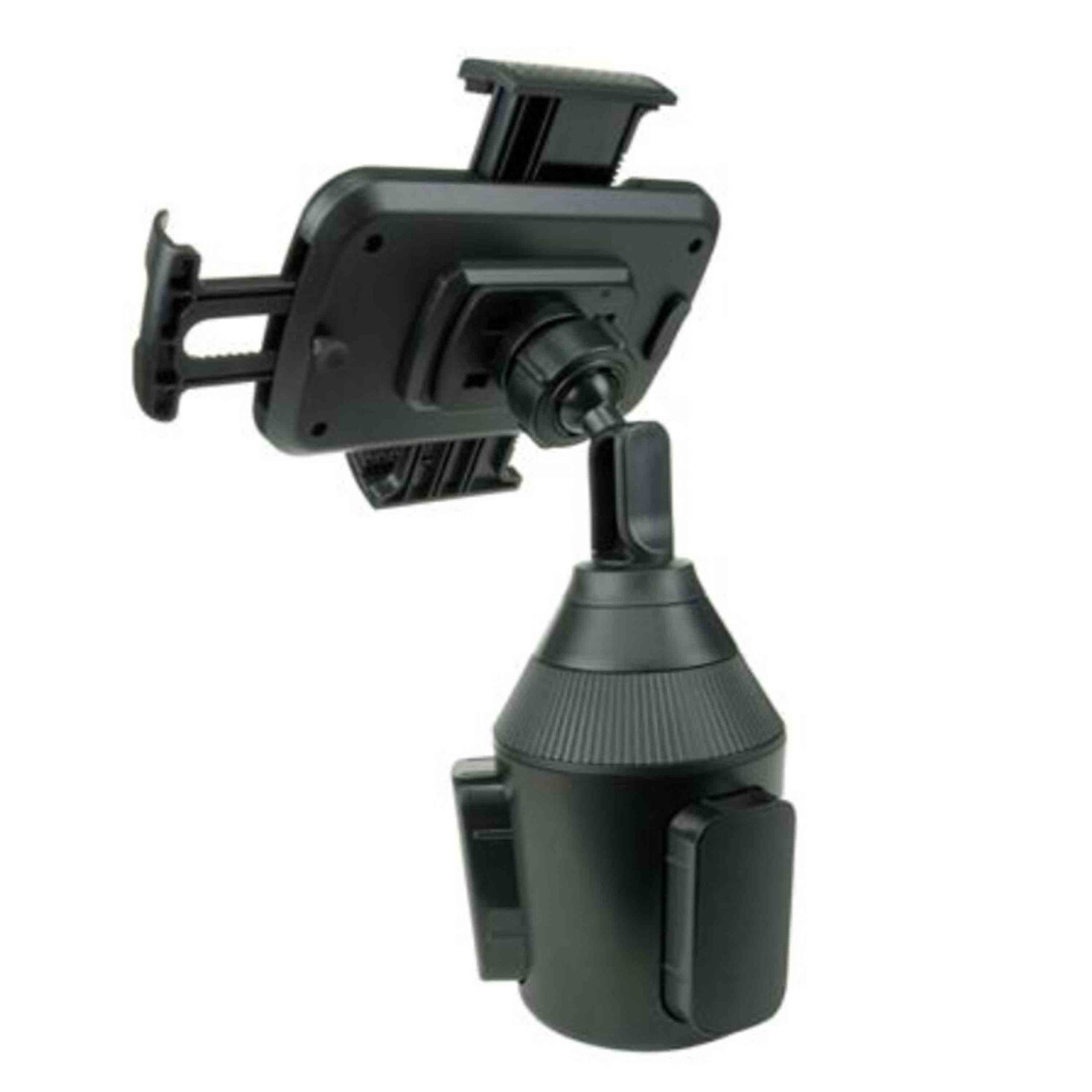
The Universal Cell Phone Mount with Adjustable Arm from Cozy Cup Holder uses rubber grip teeth and a mechanical grip. Its product page says the cradle fits most phones, including devices with larger cases. The expandable base also fits into a vehicle cup holder without tools.
A golf cart phone holder should pass one simple test. Place the phone inside, then move the empty cart slowly over a safe bump. If the screen drops, turns, or shakes hard, adjust the mount before starting the round.
3. An Arm That Adjusts to Your Sightline
Every golfer sits at a different height. This is also why cart dashboards vary. A fixed mount may sit too low for one person and block the view for another.
But an adjustable arm helps solve that issue. It lets you raise, lower, or angle the screen. The best spot is easy to glance at without hiding the path ahead.
Make sure to set the arm before driving. You should not need to bend down or lean sideways. If you must take your eyes far from the path, move the screen closer to your natural sightline.
Avoid placing it too high. A phone near eye level may block a golfer, curb, or low branch. The goal is to have clear access, not a screen floating in your face like a tiny billboard.
4. Full 360-Degree Screen Rotation
Some golf apps work best in portrait mode while course maps may look clearer in landscape mode. A rotating cradle lets you choose either view.
A 360-degree swivel also helps when two golfers share course data. The passenger can turn the screen slightly without removing the phone. Once the view is set, the joint should hold its angle.
Check the swivel before each round. It should move when adjusted by hand, yet remain firm on the path. A loose joint can let the phone droop toward the floor.
The Universal Cell Phone Mount from Cozy Cup Holder includes a 360-degree swivel. This makes it useful for GPS, score apps, or hands-free calls while parked. Rotate the screen before the cart moves, not during the ride.
5. Broad Phone and Case Compatibility
Nobody wants to remove a sturdy case at every tee box. A useful mount should fit the phone as you normally carry it. That includes the case and any slim grip attached to it.
Universal fit can also save money because you are likely to replace your phone before you replace the mount. An adjustable cradle is more likely to work with the next device.
Do not rely on the word “universal” alone. Compare actual sizes where the maker provides them. If no measurements appear, ask the seller before buying.
6. Space for Two Devices
Many rounds involve two phones. One golfer may run the GPS app. The other may track scores, take photos, or wait for an urgent call.
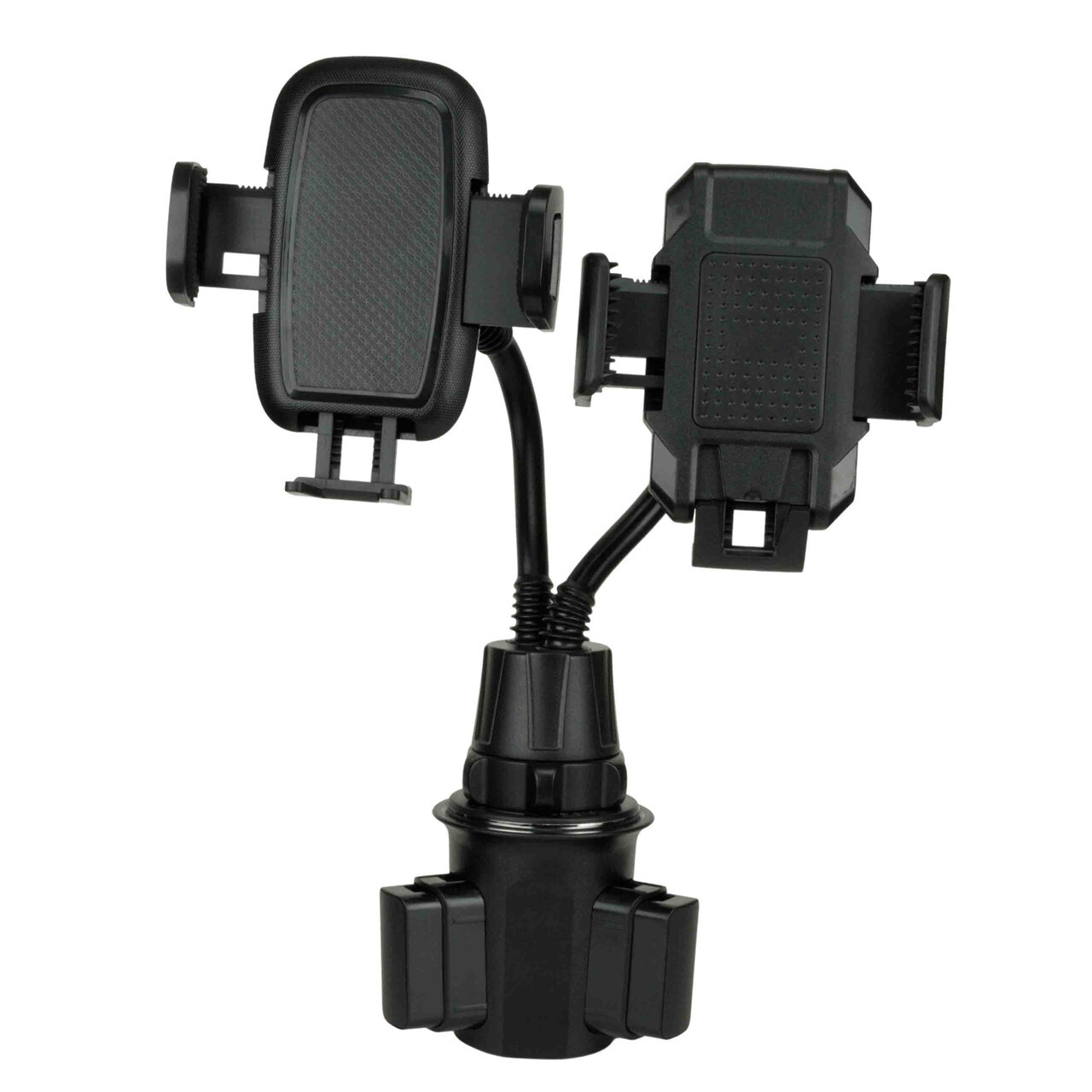
The Double Phone Holder for a Single Cup Holder from Cozy Cup Holder offers two adjustable arms from one base. Each arm swivels through 360 degrees. This setup can help keep two phones off the seat. It also uses one cup holder instead of adding separate mounts around the cart, leaving the dashboard less cluttered.
A golf cart phone holder with dual arms suits couples or regular golf partners. It may also help during tournaments when one device tracks scores and another displays distance. But both screens should remain below the driver’s main view.
7. Fast, Tool-Free Setup
Golfers often switch between private, club, and rental carts. A mount should not take half the morning to install. Tool-free setup makes it easy to fit and remove.
A cup holder mount can be practical here. Place the base inside the cup holder, expand it until snug, and position the arm. Then test it before inserting an expensive phone.
A quick setup also makes the mount easier to store. Remove it after the round and place it in your golf bag or vehicle. This may protect it from rain, heat, theft, and careless knocks.
Common Golf Cart Mount Mistakes to Avoid
Even a strong mount can fail when installed poorly. Most problems appear when golfers rush at the first tee. However, taking two minutes in the parking area can prevent trouble later.
Watch for these common mistakes:
- Mounting the screen where it blocks the path
- Leaving the cup holder base partly loose
- Using a cradle that presses side buttons
- Placing a wet or muddy phone in the grip
- Adjusting the screen while the cart moves
- Keeping loud alerts active throughout the round
- Assuming hands-free use means distraction-free driving
NHTSA warns that phone use while driving can create serious risk. While its national data concerns road vehicles, the core lesson still applies on a golf course: attention belongs on the route ahead.
Make the Safer Choice Before the First Tee
The best golf cart phone holder has a firm base, strong grip, adjustable arm, and wide device fit. A rotating cradle helps with app views. Tool-free setup also works well for rental carts.
Choose the model based on your real routine. Do you use one phone or two? Is the case thick? Will you move the mount between carts? These small questions reveal more than any flashy product claim.
Most of all, treat the mount as a place to secure your phone. It is not permission to scroll while driving. Set the screen, silence distractions, and enjoy the round unfolding ahead.
FAQs
Q1: What type of phone holder works best in a golf cart?
A cup holder mount works well when the cart has a firm, open cup holder. Choose an expandable base, adjustable arm, and padded grip that fits your phone case.
Q2: Can a car cup holder mount fit a golf cart?
It may fit if the cart has a compatible cup holder. Check its shape, width, and depth first. Always test the tightened mount before driving.
Q3: Is it safe to use GPS on a golf cart?
GPS can help when configured before the cart moves. Keep the phone mounted, use audio prompts when possible, and stop safely before touching the screen.
Q4: Will the phone fall out on a rough path?
A strong cradle should hold it during normal travel. Fit and installation still matter. Test the grip at low speed before entering a busy part of the course.
Q5: Where should the phone mount sit?
Place it within a short, natural glance while keeping the full route visible. It must not block controls, cup access, passengers, or safe entry into the cart.
